Muxarr

Clean up the audio and subtitle tracks in your media library

Muxarr removes unwanted audio and subtitle tracks and standardizes track metadata. It uses mkvmerge for MKV files and ffmpeg with stream copy for other containers, so tracks are remuxed rather than re-encoded and there is zero quality loss. A 4 GB file takes about a minute instead of hours, even on low-end hardware like a NAS or Raspberry Pi.
A quick demo of a file being optimized (35.9% reduction)

Features

Strip unwanted tracks

Remove audio (commentary, foreign dubs) and subtitles (SDH, foreign) without re-encoding, so quality is untouched. Cutting spare audio tracks alone often saves 10-30%.

Original language detection

Integrates with your *arr stack so foreign films and shows always keep the correct audio track.

Automatic processing

Webhook support to process new imports as they arrive, with a configurable delay so tools like Bazarr can finish first.

Per-directory profiles

Different language and track rules for different collections, for example anime versus western media.

Language priority & track limits

Control track ordering per language, limit tracks per language, and choose between best quality or smallest size.

Smart metadata fixes

Cleans encoder tags and codec dumps from track names. Uses mkvpropedit for metadata-only changes, so there is no remux at all.

Safe by default

Validates the output file before replacing the original. If anything fails, the original is untouched.

Library overview

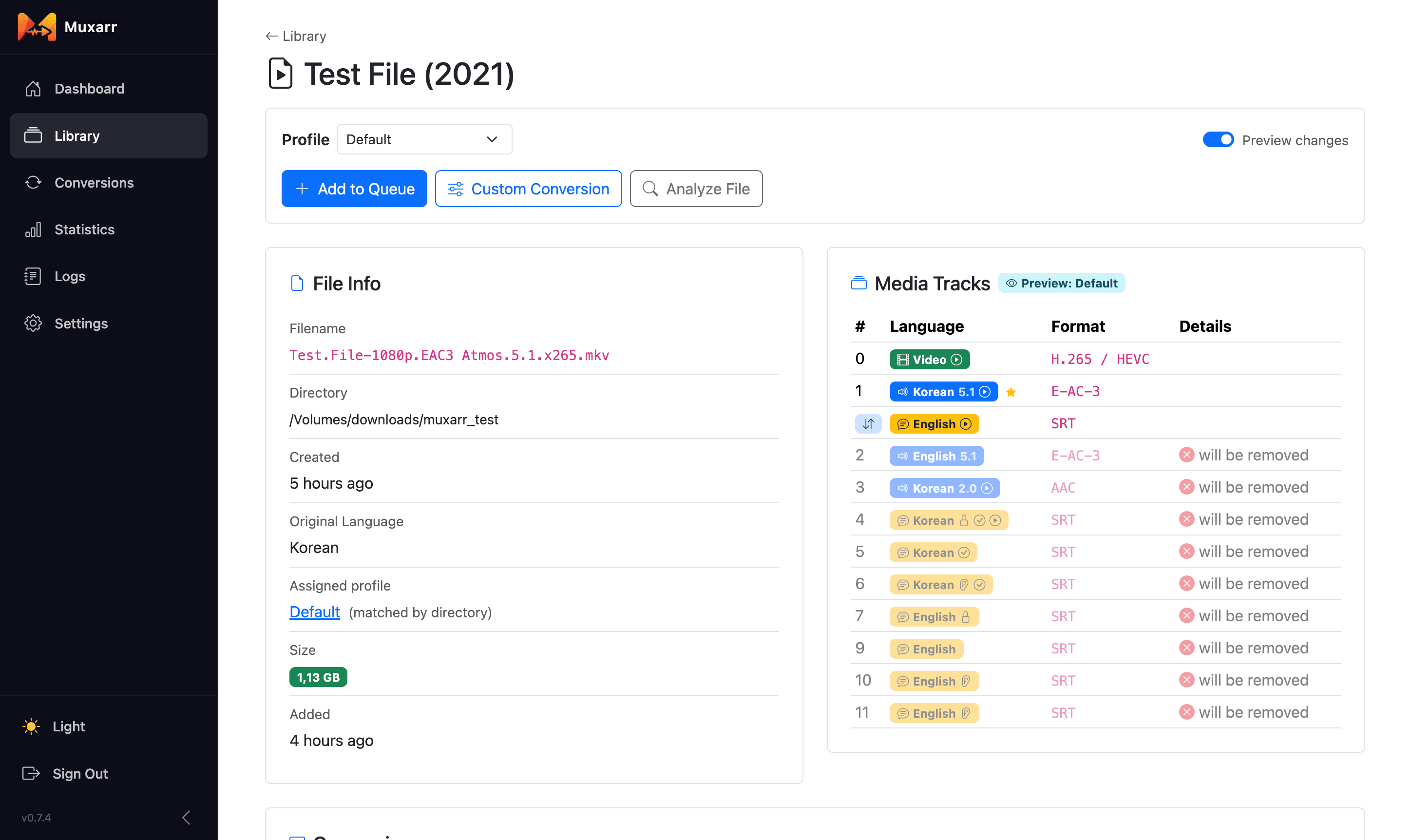
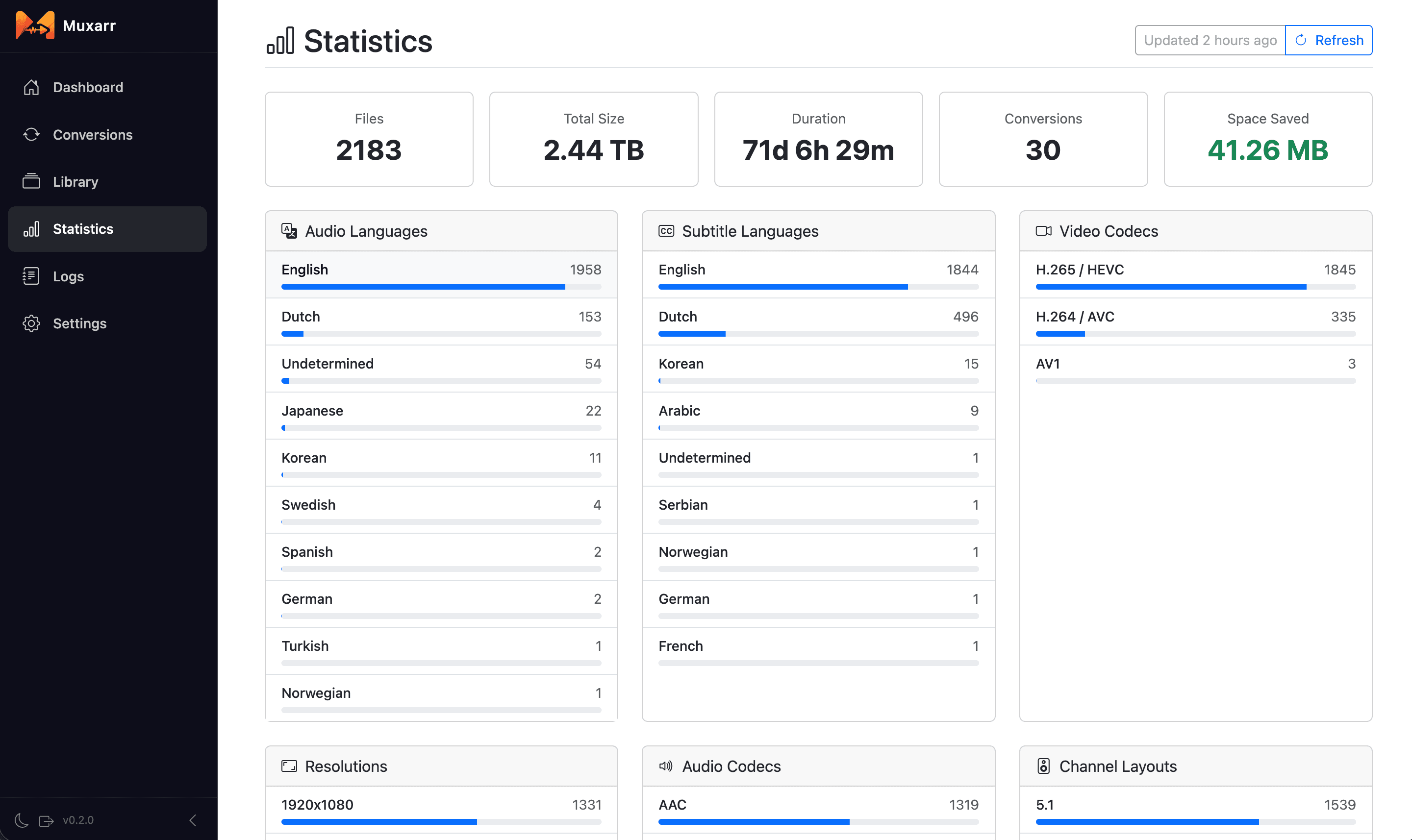
A full breakdown of codecs, resolutions and languages across your library, plus a per-file track view before you commit to anything.

Notifications

Apprise, Discord, Gotify, Ntfy, Pushover, Slack and Telegram, plus library rescans for Plex, Emby and Jellyfin.

Setup

Installation

Save this as docker-compose.yml and run docker compose up -d.

services:
  muxarr:
    image: ghcr.io/kirovair/muxarr:latest
    container_name: muxarr
    environment:
      - TZ=Europe/Amsterdam
      - PUID=1000
      - PGID=1000
    volumes:
      # Muxarr's own database and config
      - /path/to/muxarr/data:/data
      # your media library, mount it wherever you like
      - /path/to/your/media:/media
    ports:
      - 8183:8183
    restart: unless-stopped

Installation

The same thing without a compose file.

docker run -d \
  --name=muxarr \
  -e TZ=Europe/Amsterdam \
  -e PUID=1000 \
  -e PGID=1000 \
  -p 8183:8183 \
  -v /path/to/muxarr/data:/data \
  -v /path/to/your/media:/media \
  --restart unless-stopped \
  ghcr.io/kirovair/muxarr:latest

Images are published for linux/amd64 and linux/arm64. Only /data is fixed. Name your library mounts whatever suits your setup and add as many as you need, then point a profile at them in the wizard.

Environment variables

VariableDescriptionDefault
TZTimezoneUTC
PUIDUser ID for file permissions1000
PGIDGroup ID for file permissions1000

Volumes

PathDescription
/dataMuxarr's own database and configuration. Keep this one as /data.
/mediaYour media library. The container path is up to you, use /movies, /tv or anything else.

First run

  1. Open http://your-ip:8183 and the setup wizard will guide you through.
  2. Set a username and password (optional).
  3. Connect Sonarr and Radarr for original language detection and webhook automation (optional).
  4. Create a profile with your media directories and language rules.
  5. Scan your library, preview the changes, and queue files for processing.

Screenshots

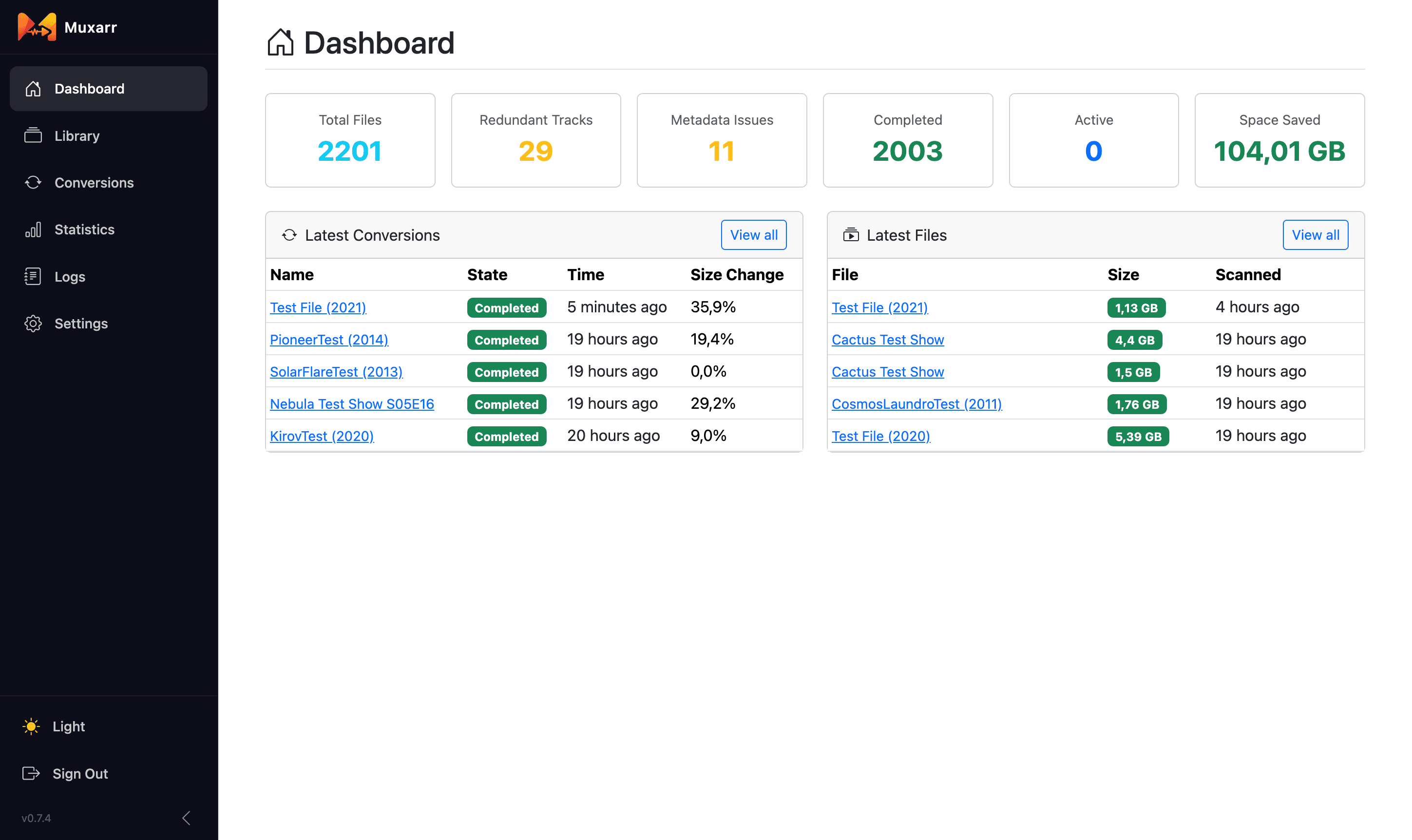
Muxarr dashboard
Dashboard
File details with track preview
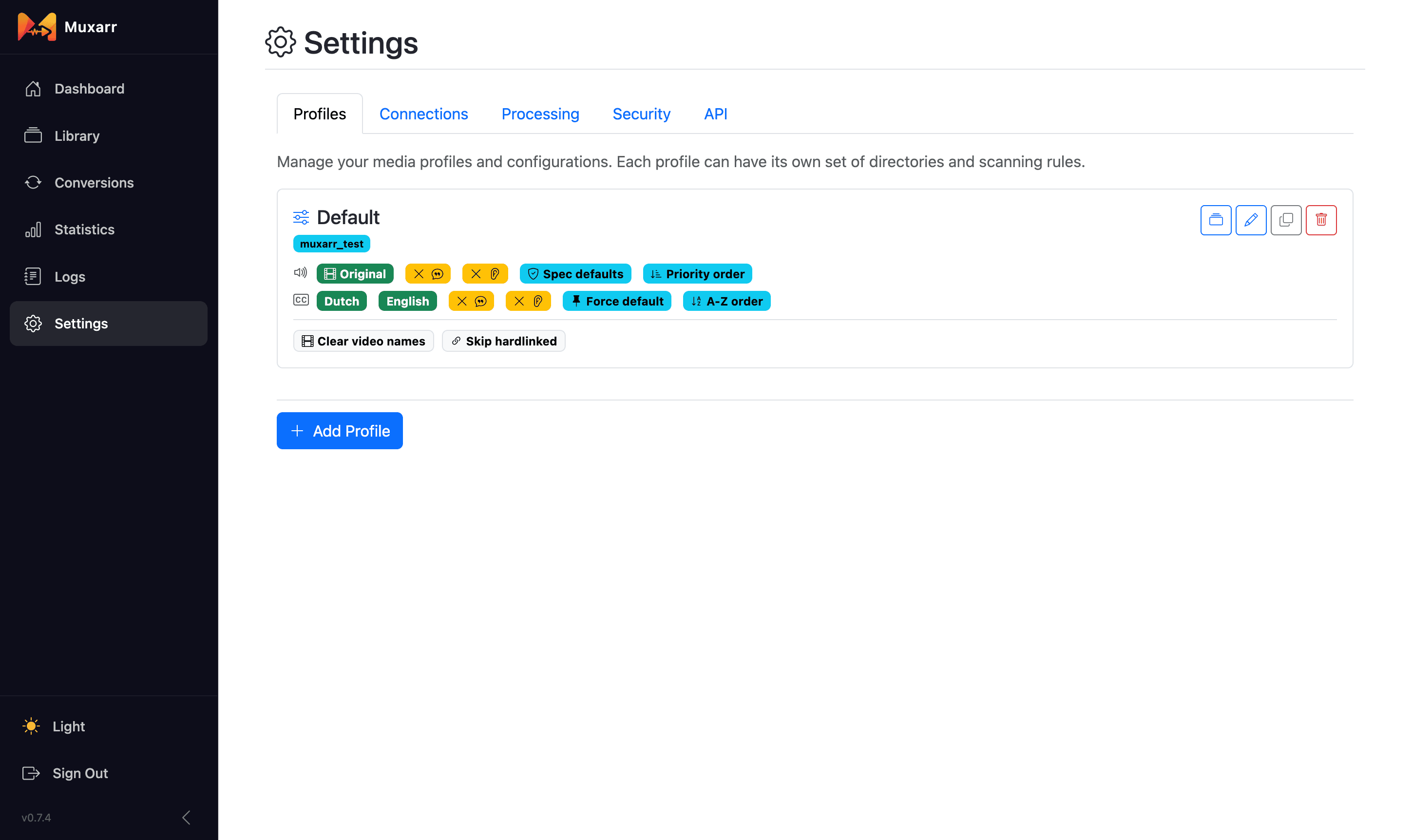
Profile settings
Profile settings
Library statistics
Statistics
Track names before cleanup
Before metadata cleanup
Track names after cleanup
After metadata cleanup

Support

GitHub Issues

Report a bug or request a feature.

Open an issue

Container registry

Every tag published to ghcr.io.

Browse images

Releases

Changelog and version history.

See releases